Our own products startfrom a problem, too.
Each of these three products deals with one specific problem: HTML written by AI is hard to share as it is; AI work sessions end, and git records what changed but not why; and non-engineers who want AI to do real work need a path built around Taiwanese workplaces.
When we hit a problem, we look for an existing tool first; when nothing fits, we build one. That is how all three of these started. Alongside fixing workflows for clients, we maintain them over the long term. Being the maintainer ourselves is how we know what “stable and usable” actually takes.
html2uTurn AI-generated HTML into a shareable link in one click
AI has written you a page of HTML: a report, a prototype, a slide deck. Now what? Paste it into html2u and you get a link you can send straight to a colleague or client. No site to set up, no files to email.
Live and free to use. Nothing to install. Open it and start.
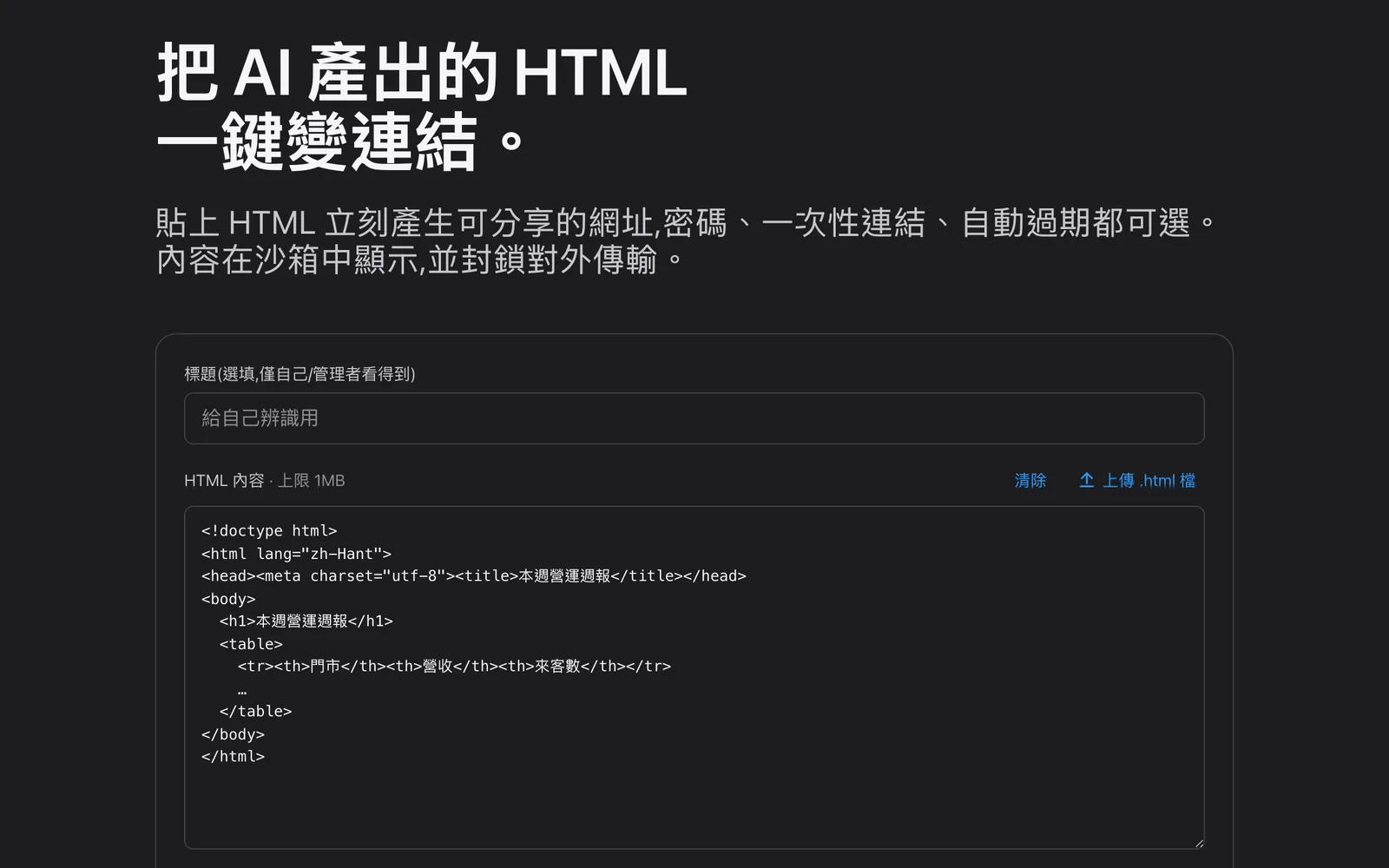
Sandbox isolation
Shared pages run in an isolated sandbox. A page someone opens cannot steal their data or hijack their browser. That is the core promise of the product.
Access control
Add a password, make a link single-use, or set it to expire. You decide who can see what you share, and for how long.
Chinese and English
The interface is fully available in Chinese and English, so it works across teams and clients.
flightwakeA flight recorder for AI-assisted work
Strong models can drive on their own. But sessions always end, git records what changed but not why, and discipline drifts over long stretches of work. flightwake records the work instead of steering it: decisions, traps and flight records go into git, so any new session (or a human colleague) can take over within 2 minutes. Zero dependencies, plain Markdown. This website's own work log is kept with it.
npx flightwake initMIT license, on npm, free.Read the development story
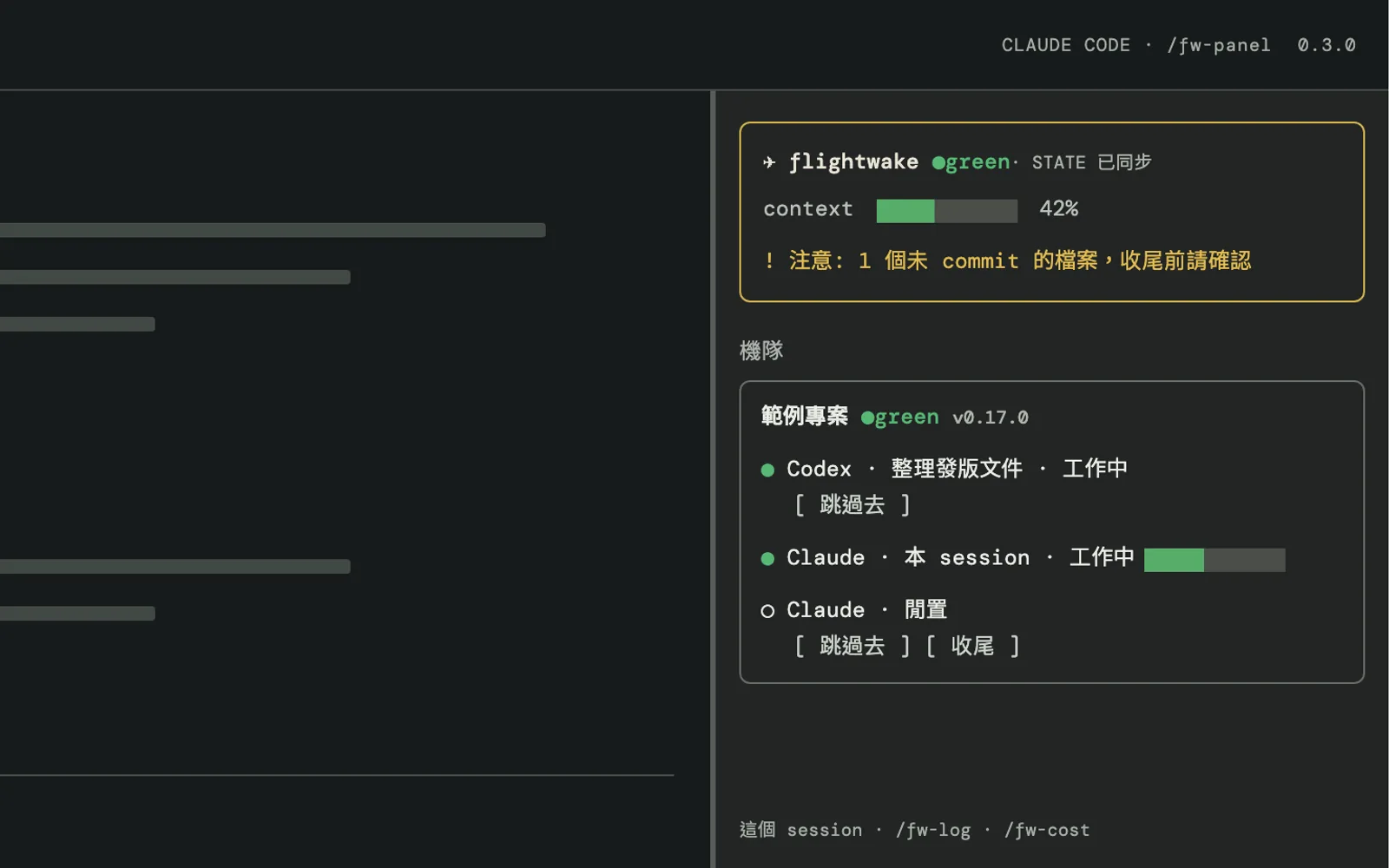
Flight recorder
Decisions, traps and flight records, kept as append-only plain Markdown files and committed to git. Git records the what; flightwake adds the why.
Warning lights
Work counts as done only when tests are green and typecheck is clean, and every prod change must leave verification evidence. Hard guards that hold regardless of how strong the model is.
Signpost
A STATE.md that always reflects where things stand: a new session reads it and can safely take over within 2 minutes, at a measured marginal cost of 3–5K tokens.
AI learning mapGetting AI to do real work, not just chat
A free learning path for non-engineers at small and mid-sized businesses in Taiwan, whether they work in admin, marketing, customer service or finance. It is adapted from Anthropic's official course materials and fully rewritten around Taiwanese workplace scenarios, taking you from “stop copying and pasting” to “build automations with AI.”
Live. Free, no sign-up. The site is in Traditional Chinese.
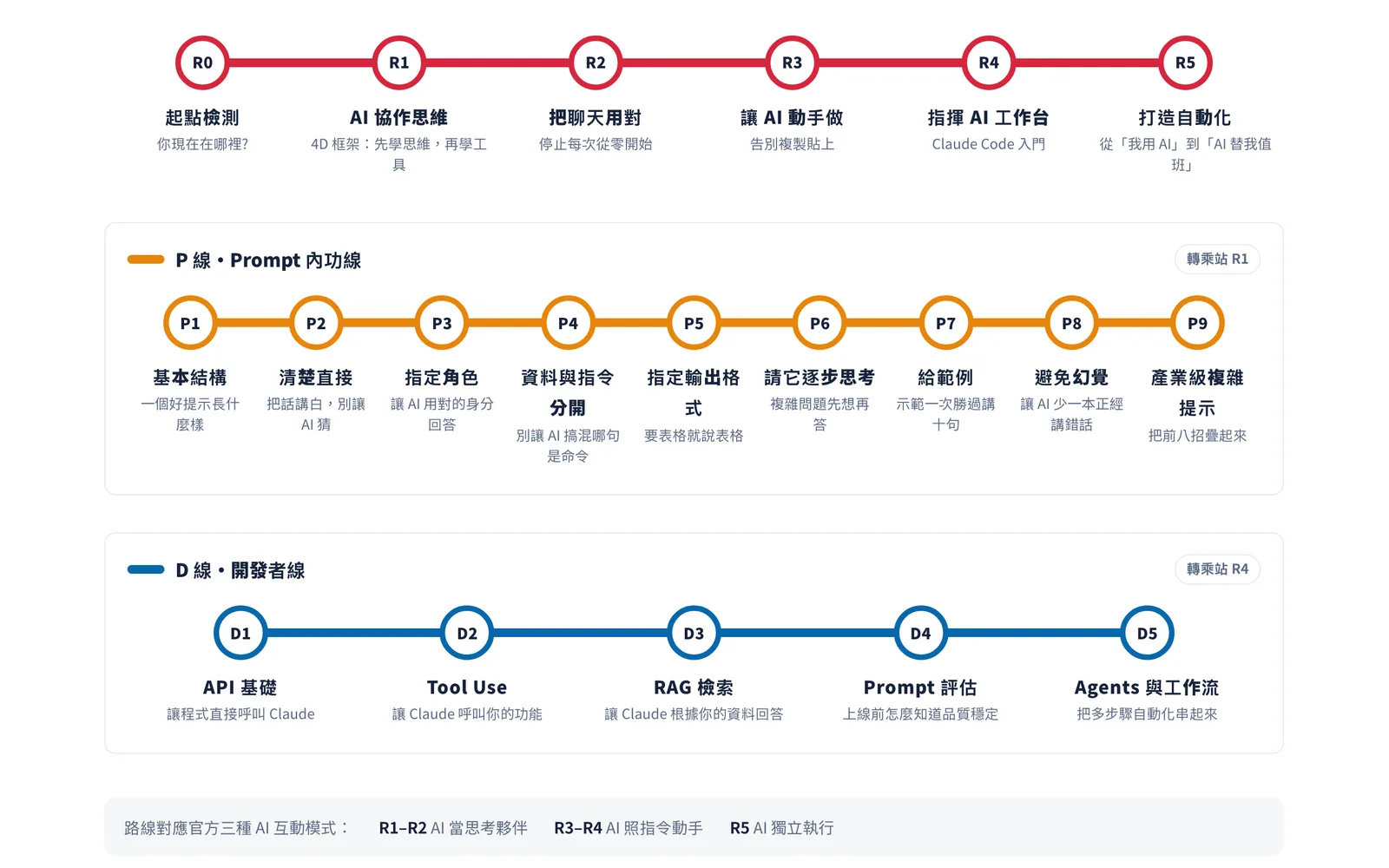
Six-stop main route
From R0, a starting assessment, to R5, building automations: from “stop copying and pasting” all the way to “AI covers the shift for you.”
Two side tracks
Track P has nine stops for building solid prompting skills. Track D has five, for in-house digital staff who want to connect AI to company systems.
Exit criteria
Every stop is checked against your own real work. Reading through it does not count; you pass a stop when you have actually done it.
More open source
Beyond the products above, we publish tools we built for our own work, and use every day, on GitHub.
- kav-fastwebagentMITDescribe a web lookup you repeat once and it becomes a flow that a local program runs quickly and verifiably. An MCP tool for Claude Code and Codex.
- e-ternal-publicLGPL-3.0E-ternal: an open-source ERP for small businesses in Taiwan, covering e-invoicing, business tax, accounting, HR and payroll, built for WebMCP and MCP agents.
- webmcp-skillMITAn agent skill for making a website agent-ready with WebMCP (navigator.modelContext): an implementation playbook plus MIT-licensed TypeScript templates.
Where does your workflow get stuck? Name the problem first, then decide whether it needs a tool.
The standards we hold our own products to (security by design, long-term maintenance, handover documentation) apply to every client project too.